Introducing Playtests and Surveys: Own Your Playtest From Signup to Key & Beyond

Games have been shaped by their communities since digital distribution made it possible. Early Access, modding, crowdfunding, open betas: the players who show up early are the ones who tell you what works and what doesn't, and they are usually the same people who become evangelists and tell everyone else about your game once it's launched (especially if you give them something exclusive for being an early supporter).
Playtesting sits right at the front of that. You can run one through Steam, the App Store, or Google Play, and plenty of teams do. But those platforms are built to hand out access. They are not built to help you learn who your testers are, ask them questions, or stay in touch with them afterwards. The playtest ends and the relationship ends with it.
That is the part we thought we could do better. Today we are launching Playtests and Surveys, two systems that work on their own and are stronger together.
Playtests
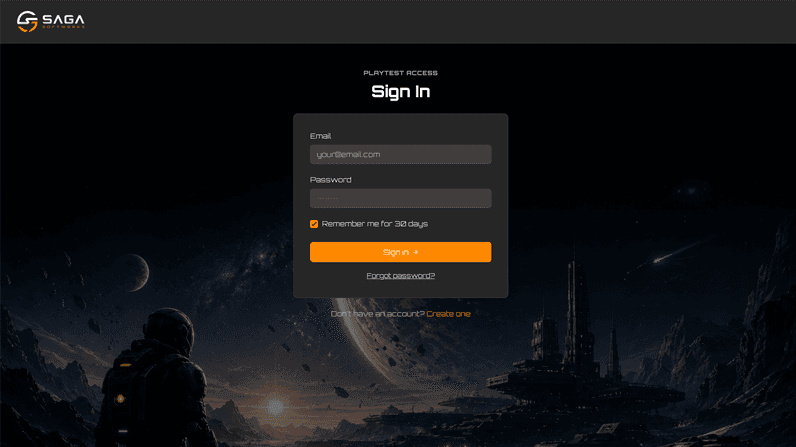
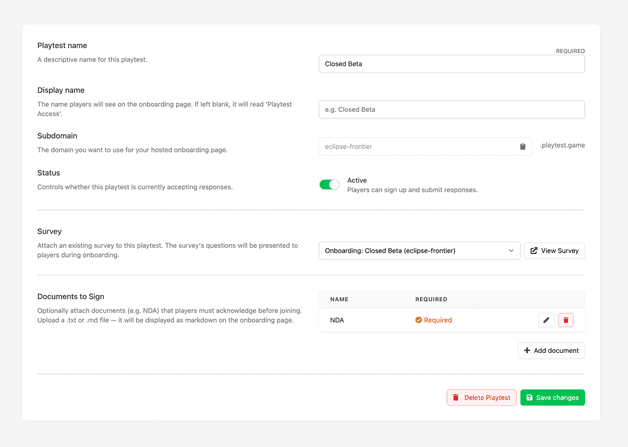
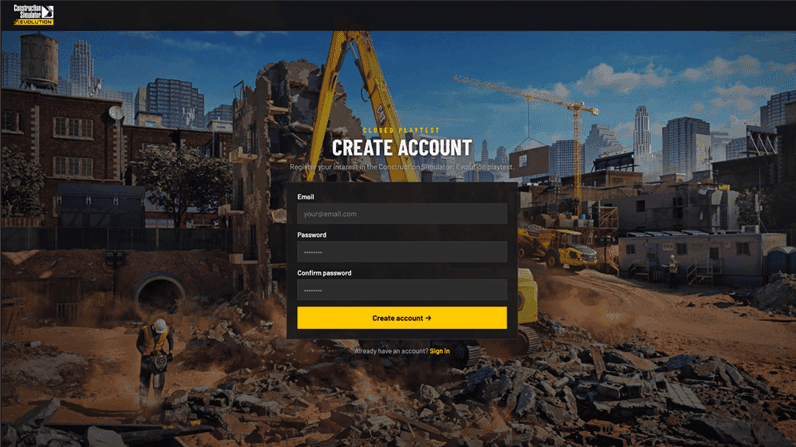
Playtests gives you a signup flow that belongs to you. It can run on your own domain or on our generic playtest.game domain, and it can be branded to look like your game or your publishing label. We keep the LootLocker branding out of the way.
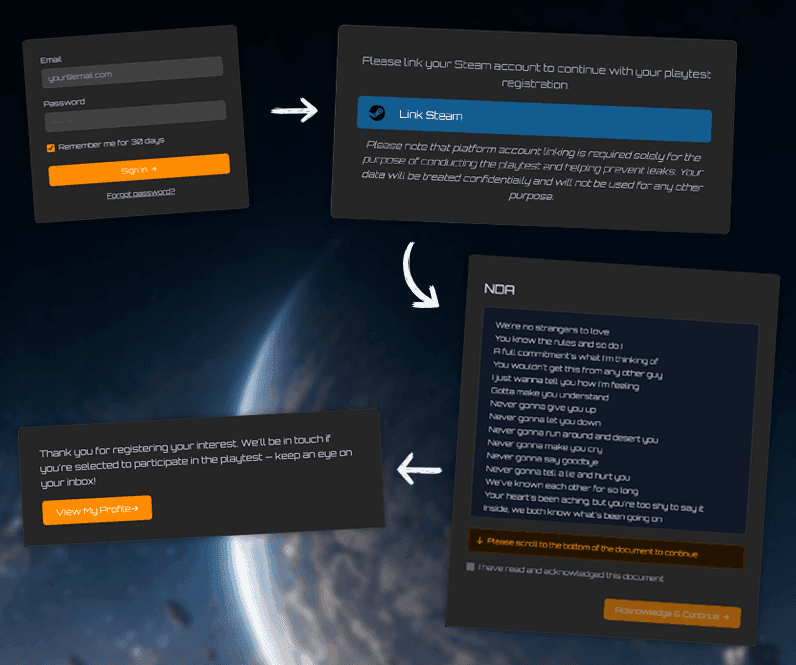
A player who lands on the signup page will:
- Create an account with their email address
- Acknowledge any agreements you require, such as an NDA
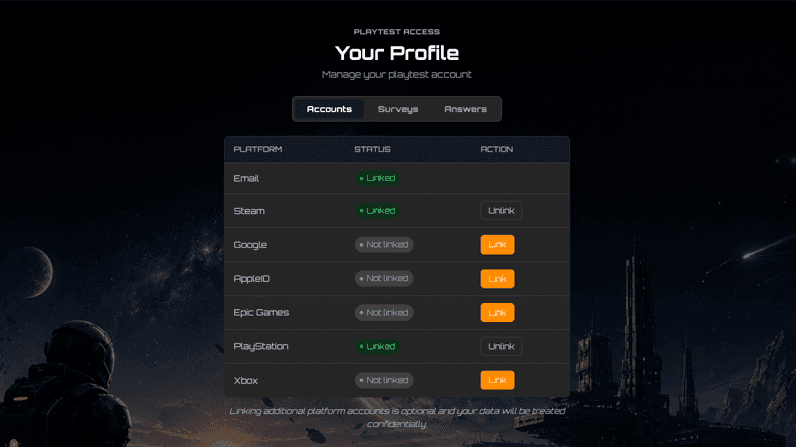
- Connect additional platform accounts if you want them, including Discord and every other platform we support
- Answer survey questions (more on that below)
- Join your waitlist
From there you decide who gets in. When you are ready to distribute keys, Reward Campaigns will issue them to the segments you choose and deliver them straight to the players' inboxes. No spreadsheets, no manual key handling, no wondering which batch went where.
Reward Campaigns and segments do a lot of the heavy lifting here. Segmentation can draw on metadata (including survey responses), sessions, ownership, connected accounts, and previously played games from your portfolio, so you can send keys to exactly the players you want with a high degree of specificity. Meanwhile Reward Campaigns make sure players receive their keys and any additional rewards on schedule, delivered to their playtest profile and email inbox.
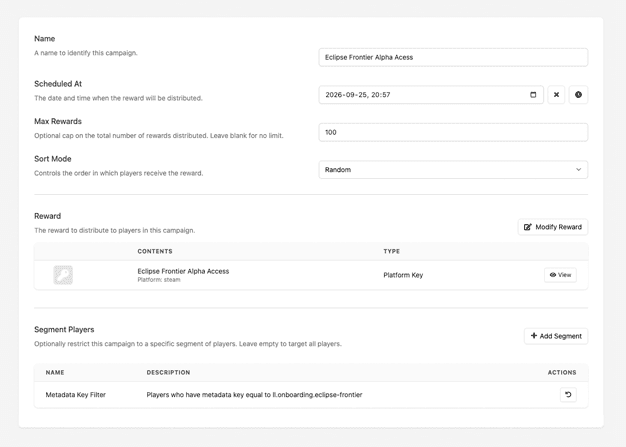
Then, after the playtest ends the email addresses, platform connections, players and their data stay yours. When your game launches you will be able to recognize those early supporters easily and follow their journey from their first playtest to being an active player in your community or across your game portfolio.
Surveys
Surveys is a questionnaire builder that stands on its own or plugs into a playtest.
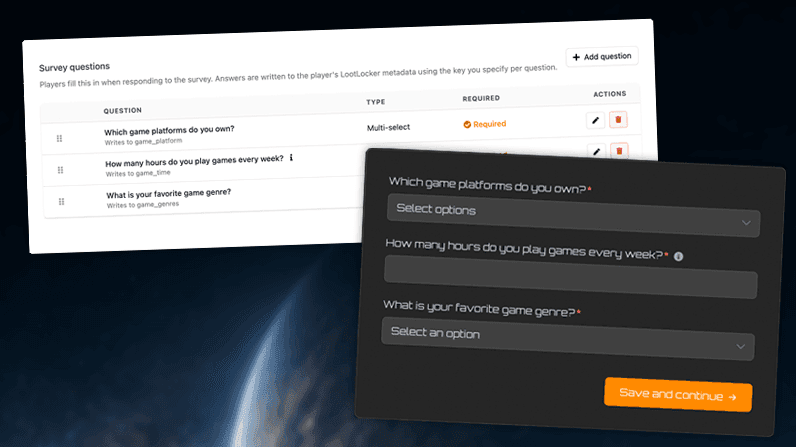
You can make a survey part of the playtest onboarding, so you learn about your testers while they sign up. You can leave it available in their playtest account for them to fill in later. And because Surveys is exposed through the Game API, you can surface it inside the game itself, alongside the Feedback feature for shorter sentiment prompts.
Surveys can be segmented too, so you decide exactly who is asked to respond.
Responses can be viewed and exported from the web console, and they attach to the player as metadata. Give a key to everyone who plays on a controller. Send a Broadcast to everyone who told you they played your game's prequel. The answers stop being a spreadsheet you read once and start being something you can act on.
Your brand, not ours
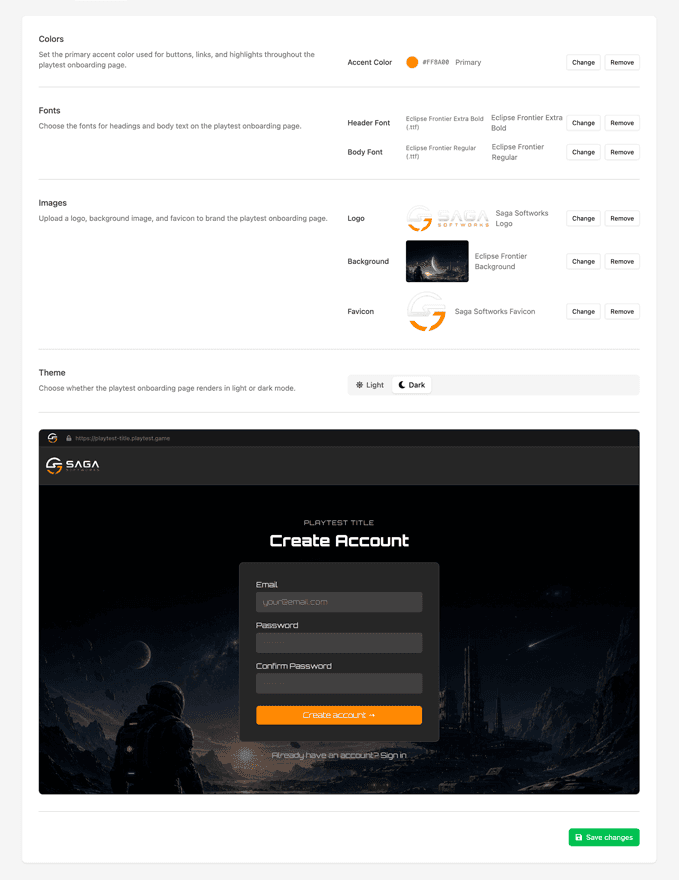
Both Playtests and Surveys are fully white label. A new branding menu lets you upload fonts and images and choose colors for each page, so the whole flow matches the game or the publisher it belongs to.
Branding assets are stored at the organization level, so you can set them up once and reuse them across your catalog, or configure them for a single game on its own.
Already in the wild
Astragon Entertainment recently ran two closed playtests using these systems, one for Bus Simulator 27 and one for Construction Simulator: Evolution, both to great success.
"Across Bus Simulator 27 and Construction Simulator: Evolution, we received a five-figure number of player registrations. Managing this volume and identifying the right participants manually would not have been feasible. LootLocker gave us a scalable registration process and enabled us to select the specific mix of testers we needed—allowing our teams to focus on running the test and surveys, turning player feedback into actionable insights."
Jan Kuhlmann Head of Marketing, astragon Entertainment
Get started
Playtests and Surveys are available now, and our documentation covers everything you need to set up your first one.