
- Intro
- Stripe handles payments. LootLocker handles the rest.
- How it works
- Built into the rest of LootLocker
- Unlocking more direct-to-player possibilities
- A quick note on platform rules
- Get started
If you’ve been following the games industry over the past few years, you’ve probably seen the shift around third-party payments on mobile platforms. Between Epic’s ongoing battle with Apple and Google, and regulatory changes like the EU’s Digital Markets Act, developers now have more opportunities to offer purchases through third-party payment systems on the App Store and Google Play.

But while many payment providers handle the checkout flow well, they often stop there. They can process the transaction, but the entitlements players are actually buying still need to be managed somewhere.
That’s where LootLocker comes in.
Today, we’re launching our first third-party payment gateway integration: Stripe. With Stripe, LootLocker users can now support both one-time purchases and subscriptions using their existing LootLocker Economy setup.

By integrating Stripe into LootLocker, developers can immediately start selling to players using their existing LootLocker setup. Using Stripe Connect, LootLocker helps you complete the initial Stripe onboarding and connect your Stripe account to your project. After that, Stripe handles the payment processing side, while LootLocker handles the game commerce layer. Anything you’re already selling through LootLocker’s Economy system, whether through first-party platforms or virtual currency, can now also be sold through Stripe.
That means assets, currencies, and progressions can now be sold through Stripe, completely out of the box—either as one-time purchases or recurring subscriptions.
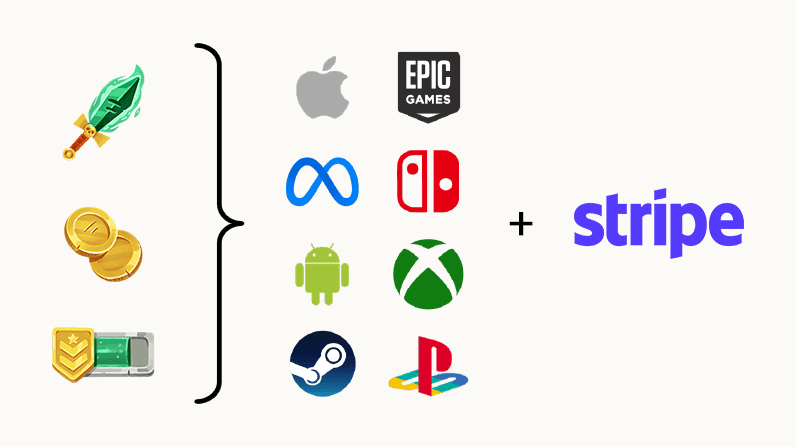
Stripe handles payments. LootLocker handles the rest.
Many payment solutions act as little more than webhooks into your own backend. They handle the transaction itself, but everything after that still needs to be built and maintained by your game backend.
That includes:
- Granting the purchased entitlement
- Tracking what was bought and by whom
- Handling refunds or reversals
- Managing balances and ownership
- Supporting gifting, rewards, progression unlocks, and loyalty systems
- Giving customer support visibility into purchases and player state
And importantly, the same things you sell are often the same things you also grant through gameplay and live ops.
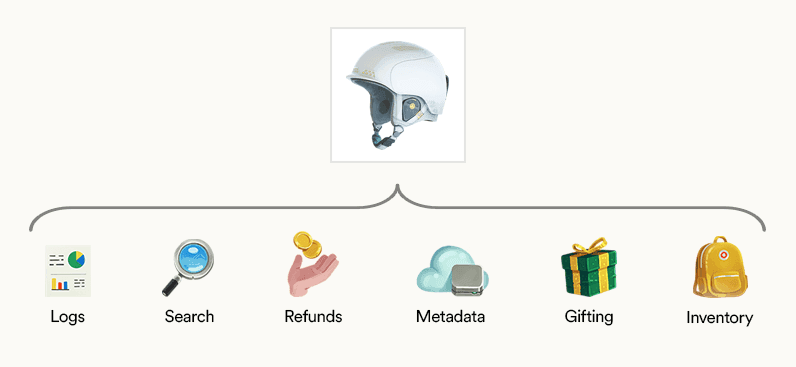
A cosmetic sold through Stripe might also be:
- Rewarded through a Trigger
- Granted through a Progression
- Added through a loyalty campaign
- Manually corrected by customer support
That’s why payments alone aren’t enough. Games need a commerce backend that understands entitlements, player state, and support workflows, not just checkout.
How it works
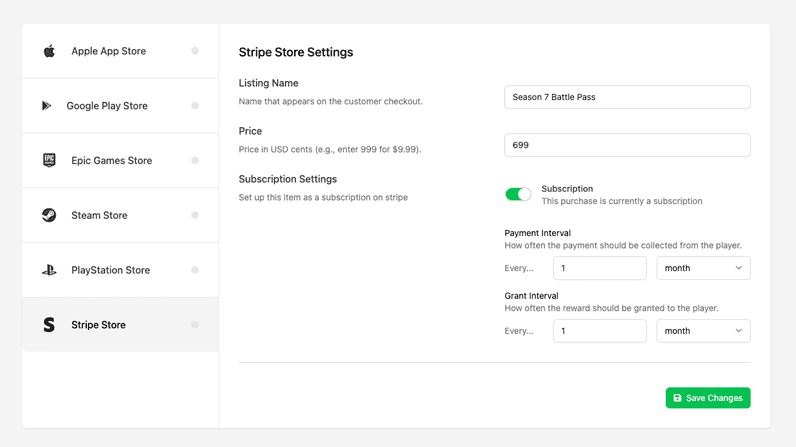
When viewing a Catalog Listing’s IAP configuration, you’ll now see Stripe as an available option.
From there you can:
- Add a listing name (used in Stripe receipts)
- Set the price
- Enable the listing for purchase
- Once configured, your game can call the purchase API and LootLocker handles the rest.
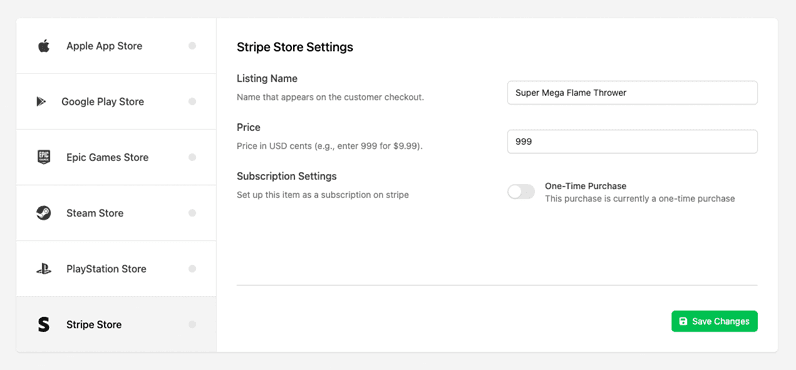
For subscription-based offers, the Stripe IAP configuration also includes a Subscription option. Here you can define both how often the player is charged through Stripe and how often LootLocker grants the reward to the player. This makes it possible to support recurring purchases where the billing interval and the reward cadence are aligned—or intentionally different—depending on how your game economy is designed.
From the player’s perspective, the flow is simple and familiar: when they choose to purchase through Stripe, they’re taken through Stripe’s standard checkout flow where they can enter payment details or use a saved payment method.
Built into the rest of LootLocker
Because Stripe is integrated directly into LootLocker’s systems, every transaction is tied to the player profile and tracked throughout the platform.
That means your team can:
- Review transactions in the Operations view
- Verify purchased content through Entitlements
- Inspect transaction details at a granular level
- Give customer support the tools they need to manage issues quickly and accurately
Everything needed to review and support a transaction is stored and accessible inside LootLocker.
Unlocking more direct-to-player possibilities
This integration becomes even more powerful when combined with other LootLocker systems.
For example, if you’re an indie developer shipping on Itch.io, you often can’t protect a downloadable build from simply being shared. But by combining White Label Login with Stripe, you can offer a demo (WebGL or downloadable) and then let players unlock the full game directly from within the game experience.
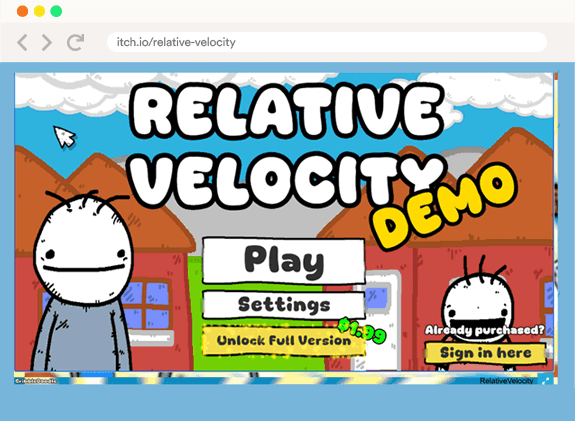
That’s just one example. As more platforms open up, we believe developers will increasingly want the same flexibility players already expect from modern e-commerce: more ways to pay, more freedom in how commerce is designed, and a better overall experience.
A quick note on platform rules
This is still a fast-moving regulatory and platform policy landscape, so make sure you always double-check what each platform allows when it comes to third-party payments and purchase flows.
Get started
Check out the documentation and update to the latest LootLocker SDKs for Unity or Unreal to start using Stripe with LootLocker today. If you’re using Unity, we’ve also put together a short guide to help you get started.