What's new.
A platform that gets better every week.

You can now connect LootLocker to an email marketing platform. CRM Platforms passes the email addresses your players sign up with through White Label Login, along with the Metadata you choose to map, to that platform's contact list, so you can build email campaigns around what players actually do in your game without exporting data by hand.
Brevo and CleverReach are both supported and can be…
Player Metadata now supports a new Timestamp type.
Timestamp Metadata makes it easy to store dates and times directly in a player's profile. Timestamps can be written and read just like any other metadata type and integrate seamlessly with LootLocker's shared Metadata framework.
Common use cases include recording when a player last claimed a reward or when they completed a tutorial.
By adding a…
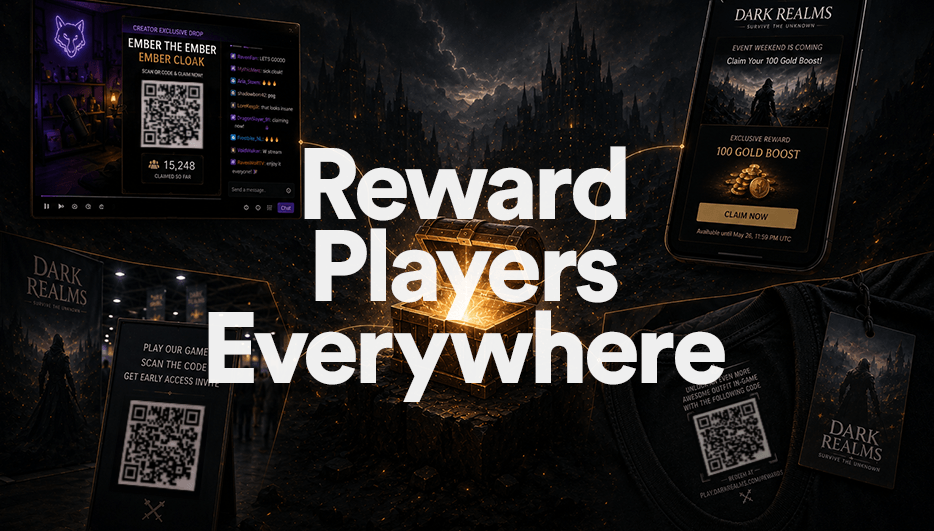
External Reward Campaigns allow you to create claimable rewards that players can redeem outside of your game through shareable links and QR codes.
Built on top of LootLocker Triggers, External Reward Campaigns make it easy to reward players through newsletters, live events, creator campaigns, social media, physical merchandise, and other community touchpoints.
Create a campaign from any Trigger,…

Leaderboards now support manual resets, giving you full control over when a leaderboard is reset and rewards are distributed.
Previously, leaderboard resets could only be configured on a recurring schedule. With this update, you can:
- Trigger a reset immediately from the web console
- Schedule a one-off reset for a specific time
- Name your resets to keep track of what each one represents
- Cancel…
🎉 Unity SDK v8.0.0 is released 🎉 🛡️ The package is now signed for Open UPM supply-chain security! Remote sessions support a provider parameter for smoother account linking, asset listing can be filtered by context, and full API reference docs are live on ref.lootlocker.com. Bug fixes improve path handling and error reporting. ⚠️ Missions & Collectables have been removed.
🎉 Unreal SDK v10.4.0 is released 🎉 🚀 Brand-new HTTP execution queue for rock-solid request handling, remote-session QR codes rendered straight to texture, provider-targeted account linking, and full API reference docs on ref.lootlocker.com. Plus: Google Play Games connected accounts, context filtering for assets, and important stability fixes. ⚠️ Missions & Collectables have been removed.
🎉 Unreal Server SDK v6.5.0 is released 🎉 🏆 Increment leaderboard scores without reading them first, filter assets by context, and browse shiny new API reference docs live on ref.lootlocker.com — all in one update.
Segments now support targeting players using Metadata values attached to their player profile.
New Segment conditions include:
- Have String Metadata
- Have Number Metadata
- Have Boolean Metadata
Each Metadata type supports different qualifier operations, including exact matches, ranges, inclusion/exclusion checks, and boolean value checks depending on the selected Metadata type.
These new conditions…
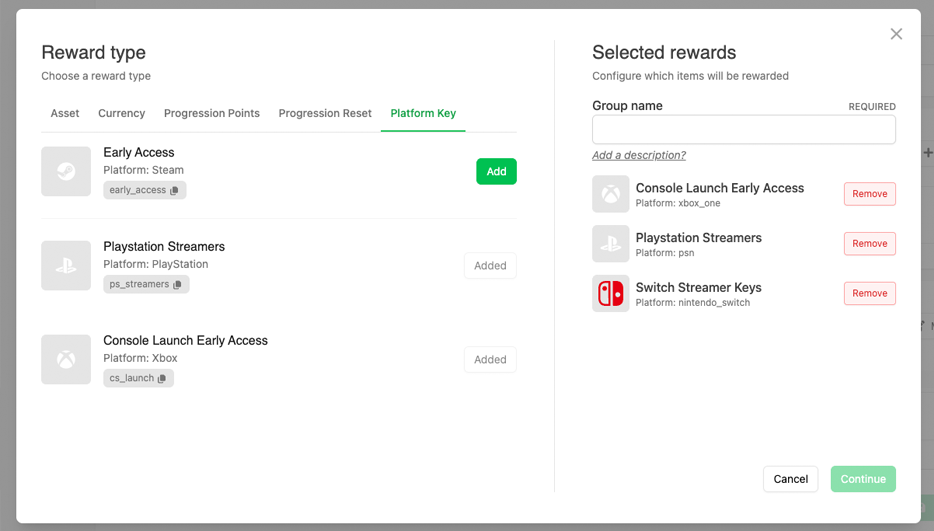
Platform Key campaigns can now be used as a reward type across LootLocker systems.
In addition to distributing keys through Squire, you can now reward platform keys directly through Progressions, Leaderboards, Catalogs, and Triggers. This makes it possible to automate key distribution as part of gameplay progression, events, campaigns, promotions, or community activities.
Rewarded keys can be…
LootLocker now supports Stripe as a third-party payment option, allowing you to sell assets, currencies, and progressions directly to players using your existing LootLocker Economy setup as one-time purchases or subscriptions.
Using Stripe Connect, you can connect your Stripe account to LootLocker and start offering purchases through Stripe while LootLocker handles the game-side commerce layer,…

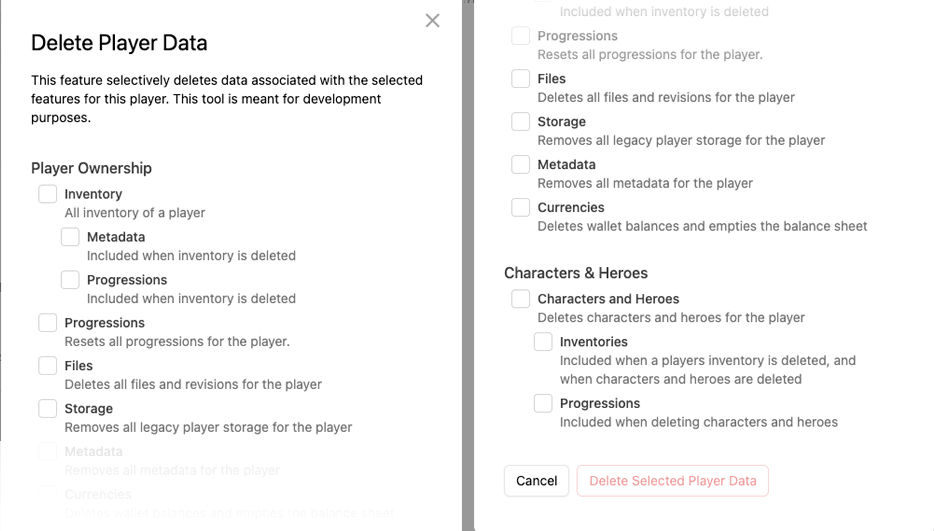
You can now selectively delete specific sections of a player profile directly from the Web Console.
Previously, player deletion actions were limited to removing an entire player profile. With this update, it’s now possible to remove individual categories of player data independently, including inventory, metadata, progressions, files, storage, currencies, characters, and heroes.
This provides…
All White Label Login emails are now sent from Auth.game instead of LootLocker.io.
This update applies to all authentication-related emails including account verification, password reset, and other White Label Login communication. The change helps further separate game-facing authentication flows from the LootLocker platform while providing a cleaner and more consistent player-facing…

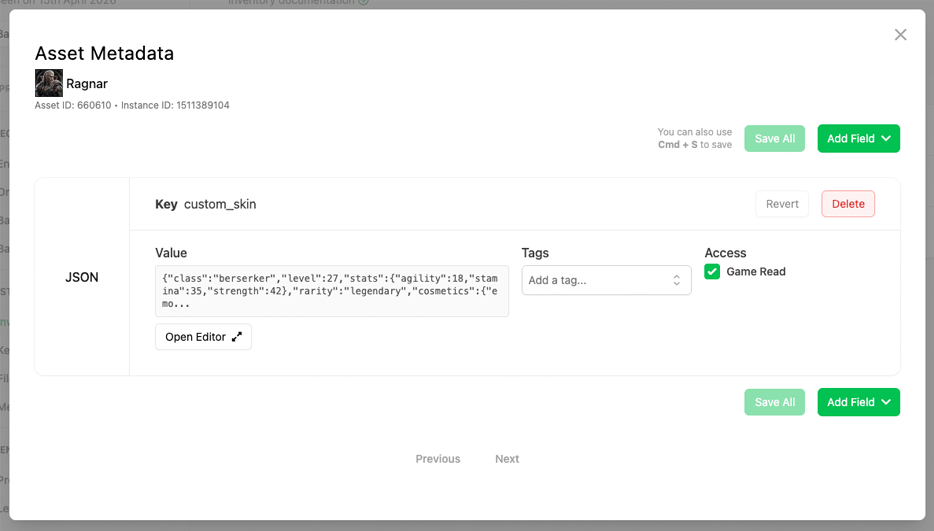
Asset Instances now support Metadata.
This means every unique instance of an asset can now store its own custom information using LootLocker’s shared Metadata framework. Metadata can be attached directly to individual asset instances and supports multiple data types including booleans, strings, numbers, JSON objects, and files.
Asset Instance Metadata can be updated dynamically through both the…
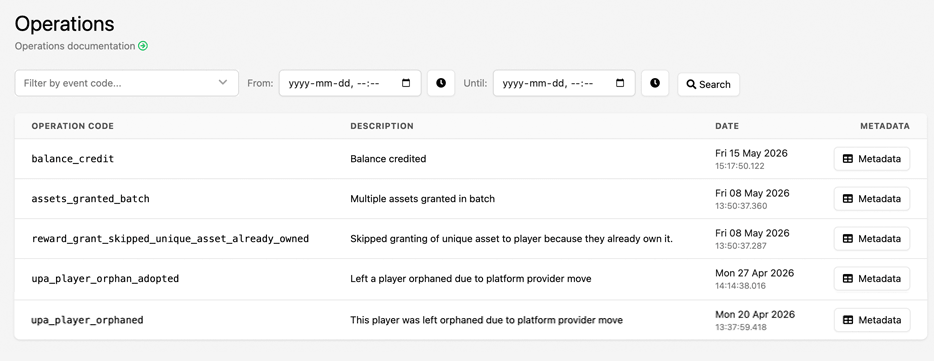
Finding specific player operations in the Player Manager just got much easier.
You can now filter Player Operations in the Web Console by both event code and date range, making it significantly faster to track down the exact operations you're looking for. Whether you're investigating player issues, reviewing economy changes, or auditing backend activity, the new filtering tools provide a much…
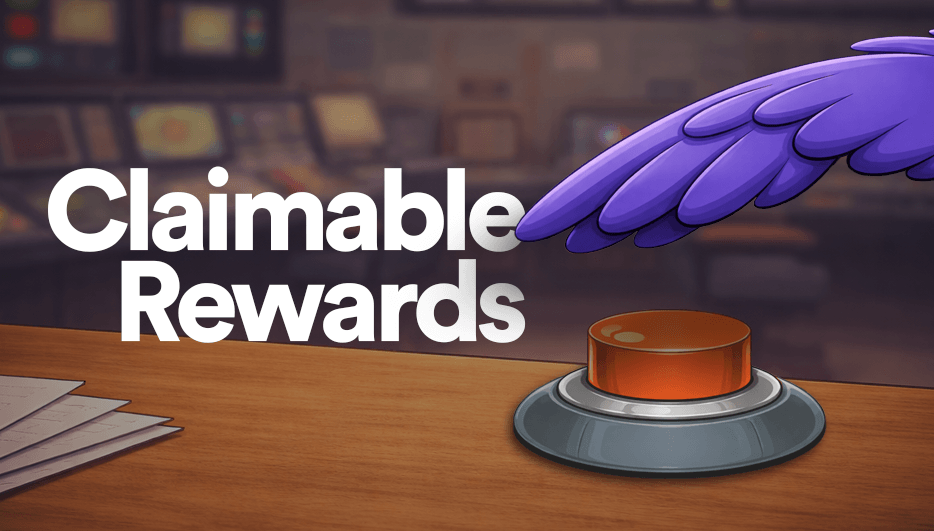
Squire now supports Claimable Rewards, allowing you to launch reward campaigns directly inside your Discord server.
Players can click Claim Reward directly from a Discord post to receive in-game rewards powered by LootLocker Triggers. By default, rewards can be claimed using a player’s Discord ID, with optional platform account linking through Unified Player Accounts (UPA) to connect rewards…
🎉 Unreal SDK v10.3.0 is released 🎉 🛒 Major release introducing asynchronous purchases, Stripe Checkout sessions, refund capabilities, platform-specific friends filtering, inventory metadata support, and enhanced request tracing for improved purchasing and social features.
🎉 Unreal Server SDK v6.4.0 is released 🎉 🔧 Major release adding context listing, connected account management, enhanced request ID tracking with enriched response context data, plus comprehensive internal refactoring for improved stability and request tracing capabilities.
You can now view the status of player notifications sent from the Web Console directly on the player’s profile page.
Under the Notifications tab in Player Manager, all notifications sent to the player via the Web Console are listed along with their read status, making it easy to verify whether a notification has been retrieved by the player’s game client.
Learn more about sending and viewing…
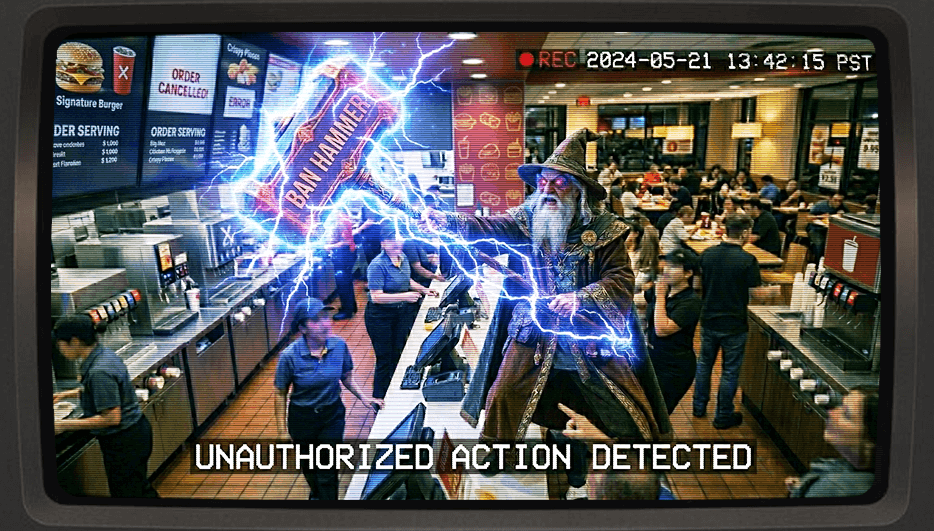
It is now possible to Ban Players permanently or temporarily from starting sessions in your game. This can be done through the Web Console by navigating to the player page, selecting Actions and then selecting Ban Player. It is possible to leave an optional note attached to the action, for example providing a reason for the ban.
A banned player’s player page will clearly display that the player…
You can now apply Segments directly to Triggers, ensuring that only players who qualify for a specific segment are able to execute a trigger.
This gives you precise control over who can activate rewards, content, or game logic, unlocking powerful new use cases, such as:
- Platform-specific rewards (using a Played On segment)
- Playtime-based rewards (using a Playtime segment)
- Re-engagement rewards…
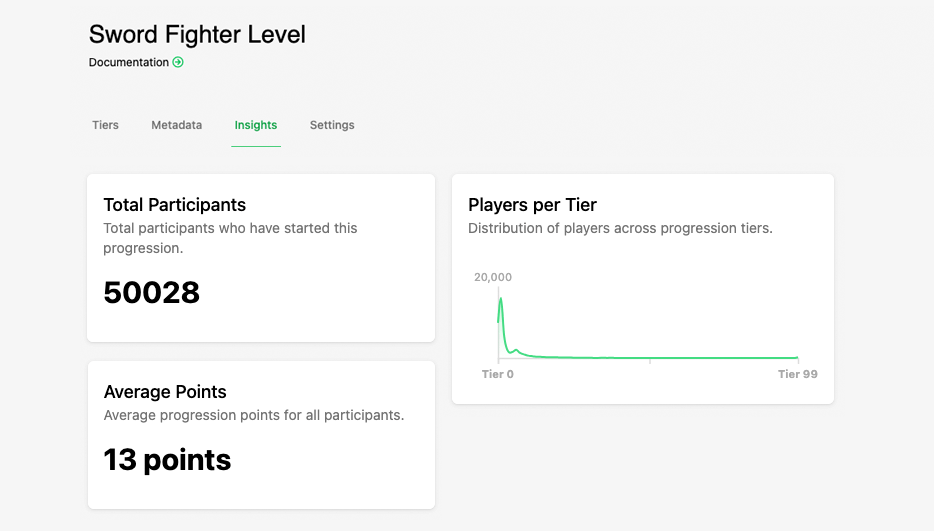
We’ve added a new Insights tab to the Progression view.
You can now see:
- Total Participants
- Average Points
- A Players by Tier graph for a clear breakdown of distribution
This makes it easier to understand overall engagement and player performance at a glance.
You can now grant catalog items directly to a player from the Catalogs table. Simply select "Grant to Player," enter the player's ULID from the action menu, and the item will be delivered instantly.
This change is meant to streamline item distribution for player support workflows.
What's included:
Catalogs
What’s included:
- New Grant to Player option for each catalog item, found within…

We’ve released Squire, a new Discord bot that connects your Discord community directly to your game using LootLocker.
Squire allows you to link Discord members to real player platform IDs, distribute and track Platform Keys securely, and push in-game Broadcasts directly to Discord for unified player communication.
Initial features include:
- Platform Key distribution and redemption through Discord…
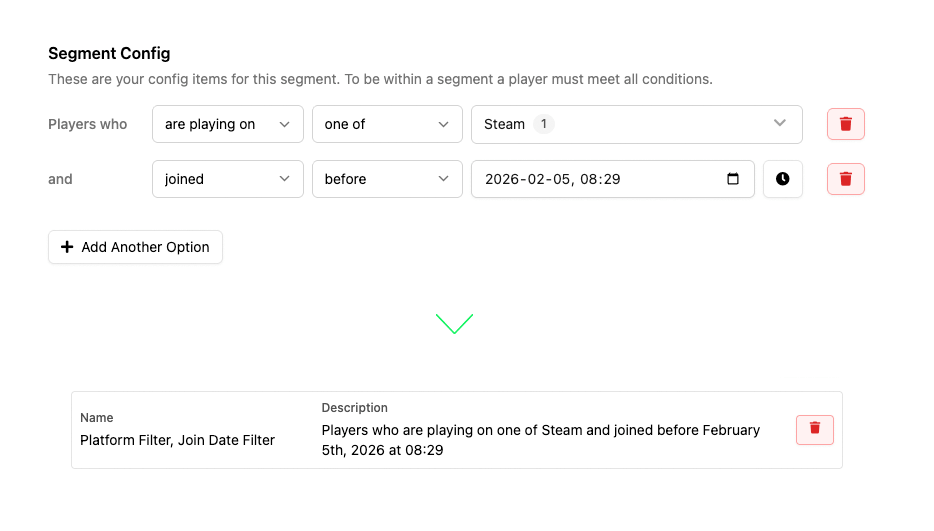
We’ve overhauled the Broadcast Segments experience to make building audiences faster, clearer, and more intuitive.
Segment conditions are now created using a natural-language flow instead of abstract terms. Rather than choosing from unclear fields like "Attribute" and "Operator", you now build segments as readable sentences starting with “Players who…” and extending them with…
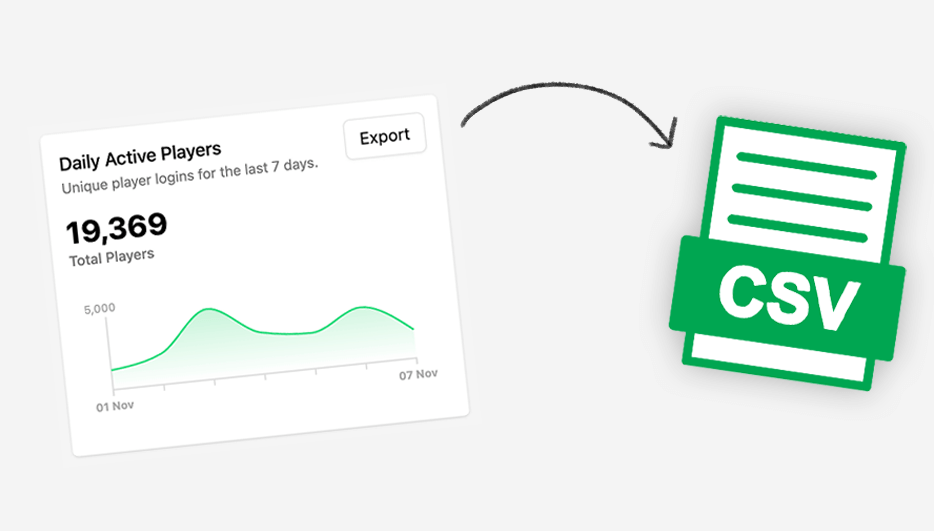
You can now export data collected through the Player Insights feature directly from the Web Console.
Use the Export action next to any supported insight to generate a CSV file. In the export modal, select the game(s) you want to include and define the date range, then click Download Export to immediately download the file.
Supported data sources:
- Daily Active Players (DAP)
- New Players
- Monthly…